Everything You Need to Know About Click to Call in 2026

9 mins read

Posted on May 21, 2024

Vignesh N
SEO


Vignesh N
SEO






Customers increasingly seek effective ways to connect with businesses and reach them. They avoid all the age-old traditional methods of communication, like phone numbers, manual dialing, and a few others, which are generally slow and create friction and frustration for them.
Customers face many barriers while requesting assistance, and the most important problem is the fear of being misled by the wrong department, which significantly affects the ability of potential leads to make contact. Businesses lose sales opportunities, and their customer satisfaction level diminishes.
So, the only solution for businesses to overcome this hurdle is to leverage the Click to Call solution. With just one click of a button, all these challenges can be resolved instantly as it facilitates the quickest way for customers to contact a company.
What is Click to Call?
Click-to-call is an advanced cloud telephony solution feature that allows dialing capability by just clicking on the number without manual dialing. This feature significantly saves time and improves agents' productivity when dialing out the numbers. The primary purpose of this functionality is to give immediate access to enhanced customer support and quicker resolution of issues.
How Click to Call Works?
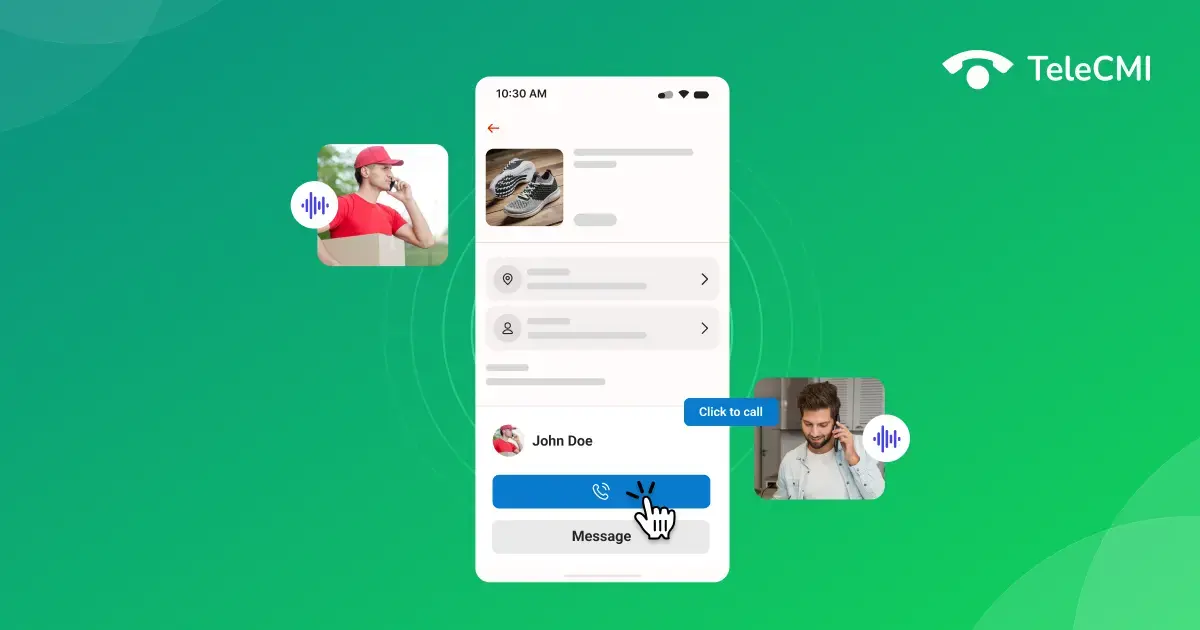
The interface for Click-to-Call is often based on a web or mobile app. The technology dials a specified phone number when a consumer or agent presses the button to start a call. Depending on the needs of the consumer, the call is then directed to the appropriate individual or department.
How does it work?
Click-to-Call functionality utilizes a mobile application or web interface to make phone calls.
Businesses use Click to Call buttons on their respective sites or applications, which customers use to initiate calls with a single click.
When the button is pressed, the system dials the business phone number and connects the customer to an agent.
This functionality can be integrated within multiple communication channels, such as voice, text, and video calling.
Where can the Click to Call feature be used?
- Websites/Apps - On almost every website/app, you can see the 'Contact Us' button, which uses click-to-call dialing functionality. You do not have to make calls manually. Instead, click on the phone number on the website to contact their team. The point of contact happens inside the browser without toggling screens to make calls.
- CRM System - This functionality enables direct dialing within the CRM system for both the list of leads and customer support queries, thereby saving time and avoiding the difficulty of switching between systems. Agents can initiate calls from the lead or support query interface with a click.
- Emails and Texts - Click-to-call enables instant dialing while receiving numbers through texts or emails, speeding up communication responses.

Key Benefits of Click to Call feature
- Collection of Customer Data - When you infuse click-to-call functionality into your website, customer data tracking becomes very easy. You can monitor customer clicks and interactions and collect data insights based on their preferences. With this information, businesses can personalize their marketing strategies and improve customer experiences by responding to those inputs.
- Boost Customer Engagement - By leveraging the click-to-call feature, customers can connect with businesses more easily and get immediate assistance. Customers will have the privilege of quickly clarifying any information without having to browse or search through multiple pages for numbers. This drives increased customer satisfaction, builds brand loyalty, and accelerates revenue growth.
- Streamlines Business Operations - Businesses can effectively handle hundreds of call volumes by automating call routing and queue management. This functionality will result in faster responses, reduced wait times, and overall improvement in business performance.
- Increase Sales Prospects - Click-to-call increases sales conversion rates by allowing customers to reach your business and get immediate assistance. Companies can experience increased return on investment for marketing campaigns and generate higher revenue from sales reps.
- Enhances Mobile Experience - Businesses are increasingly focused on developing commerce websites that are adaptable to mobile devices. Click-to-Call functionality gives customers a seamless user experience as they engage with brands from their mobile devices.
Click to Call Use Cases
Across multiple industry verticals, click-to-call has many real-life applications, and some examples are listed below.
- Direct-to-consumer - Businesses like restaurants, real estate and consumer goods leverage click-to-call functionality to stay ahead of the competition by providing real-time communication support for sales.
- B2B - Enterprises transform their outbound sales process by implementing click-to-call into their CRM platform, and this feature predominantly reduces the errors related to manual dialing as the sales team typically stays within the CRM. In addition to this, effective data management allows businesses to track and report calls within the CRM platform.
- SaaS Companies - These companies leverage Click to Call on their websites to improve their conversion rates and customer satisfaction. Calls are directly routed from the website to the agents.
- Delivery & Ride Sharing Apps - Connect customers with drivers easily using click-to-call functionality. This will ensure privacy for drivers' and customers' numbers by leveraging masked numbers.
Key Features to Consider When Choosing a Click to Call Vendor
Businesses must partner with the right solution provider to enable the click-to-call functionality, and there are many considerations to remember. Here is what you need to look for,
- Compatibility with all browsers, including non-web RTC compatible browsers, complex SIP infrastructure, and PSTN.
- Comprehensive SDK and developer-friendly documents.
- Advanced features like masked numbers and more to suit multiple use cases.
How to set up Click-to-call?
Following the below steps, businesses can quickly set up a Click to Call feature on their websites and integrate it with a CRM.
For Website Integration:
- The first step is to choose an advanced click-to-call provider like TeleCMI to leverage the functionality.
- Generate a click-to-call widget code that can be embedded on your website and configure it to match your branding and functionality.
- Add the code or widget to any desired location on your website, such as the home page or contact page, and test the integration to ensure its functioning. If your website runs on a CMS, you can usually add the click-to-call widget through a plugin, module, or custom code block, while also using the CMS’s internationalization and personalization features to deliver more relevant call-to-action content for different users and markets.
- Set up call routing to define how incoming calls are to be routed.
- Test the feature by clicking the call button to see if it initiates a call to the designated number.
For CRM integration:
- Check if the click-to-call feature integrates with your CRMs like Zoho crm phone integration, Hubspot, Freshworks, etc.
- Use the API key or token offered by the click-to-call feature.
- Log in to your CRM, navigate to the Integrations or Settings section, and add the click-to-call provider as an integration using API details.
- Map customer data between the CRM and click to call the system for quick tracking and updates.
- Personalize workflows like call logging, task creation, or follow-up email triggers within the CRM.
- Test the integration outcome to see if calls are initiated within the CRM and if all activities are logged accurately.
Applications of Click-to-call
The click-to-call feature bridges the gap between a happy customer and a missed opportunity, and it's quite easy to implement this solution. Let's see how.
- Click-to-call Links - Convert all the given phone numbers to links visitors can click to initiate calls. It is essential to test these links before going live, and they are usually placed at the top of the webpage or the sidebar for clear visibility. This involves very little coding knowledge, making it an excellent first projeect for begginers to develop their coding skills . A developer can typically set this up in a few minutes.
- Click-to-call Buttons - Use a smartphone or calling icons to link the click-to-call solution to a phone number. This method makes it easier for smartphone users to click on smaller screens.
- Click-to-call for Adverts - When your business depends on Google Adwords, you can add this functionality button to ads for a practical impact. These ads will drive quick calls to the relevant agent. Regular ad viewers prefer these buttons as they are easy to reach businesses. They are suitable for design and clarity and also enhance your branding.
To Wrap Up
The click-to-call functionality significantly reduces consumer effort and eases businesses' relationships with potential prospects. When this feature is capitalized correctly, companies can boost conversion rates and build stronger customer relationships.
TeleCMI specializes in AI-powered advanced calling functionalities and ensures a smooth integration of click-to-call features across 120+ CRMs, allowing your customers to connect with you directly within a single click. TeleCMI delivers customizable solutions for businesses of all sizes and equips the customer service team with all the latest technology-driven solutions.
Boost Your Business Communication with Click to Call!

Instant Connection
Improve Customer Experience
Increase Conversions
Frequently asked questions (FAQ)
Vignesh N

With deep expertise in cloud telecommunications, I help readers explore the latest trends in VoIP and modern business communication. At TeleCMI, I focus on educating businesses with clear, practical insights, making complex telecom concepts easy to understand. I’m passionate about helping organizations improve efficiency, enhance customer engagement, and adopt smarter communication strategies.