
Click-to-Call vs Contact Forms: Which Generates More Leads for Businesses?

11 mins read

Posted on May 21, 2026


Vignesh N
SEO


Vignesh N
SEO






A potential customer visits your website, browses your services, checks your pricing, and leaves without saying a word.
No inquiry. No call. Nothing
Surprisingly enough, this occurs in companies more often than one might think.
Leadinfo states that over 97% of your B2B website visitors exit your site without converting. The average B2B conversion rate stands at an all-time low of about 2-3%.
Your visitor was clearly engaged. They just hit a moment of friction, a form that looked like too much work, or no quick way to speak to a real person, and they moved on. Probably to a competitor who made it easier.
For this, you have two main options: click-to-call or contact forms.
While both are quite common, they vary greatly in nature. While with one option you can immediately communicate with your client, with another option you collect information about the prospect needed to establish contact later.
But which tool is more efficient for lead generation? It all depends on your business model, the potential client’s purpose, reaction time, and the sales cycle.
In this guide, we’ll compare Click-to-Call and contact forms thoroughly.

Key Takeaways
 Click-to-call lets you connect immediately with prospective leads, minimizing lead loss.
- While contact forms have a purpose, delayed responses cost companies income.
- Modern click-to-call software is built into CRM platforms, providing effective lead management.
- Artificial intelligence-driven call routing and chatbot technology are revolutionizing the return on investment for click-to-call technology.
- Real estate, medical services, and financial institutions benefit the most from click-to-call technology.
What is Click-to-Call?
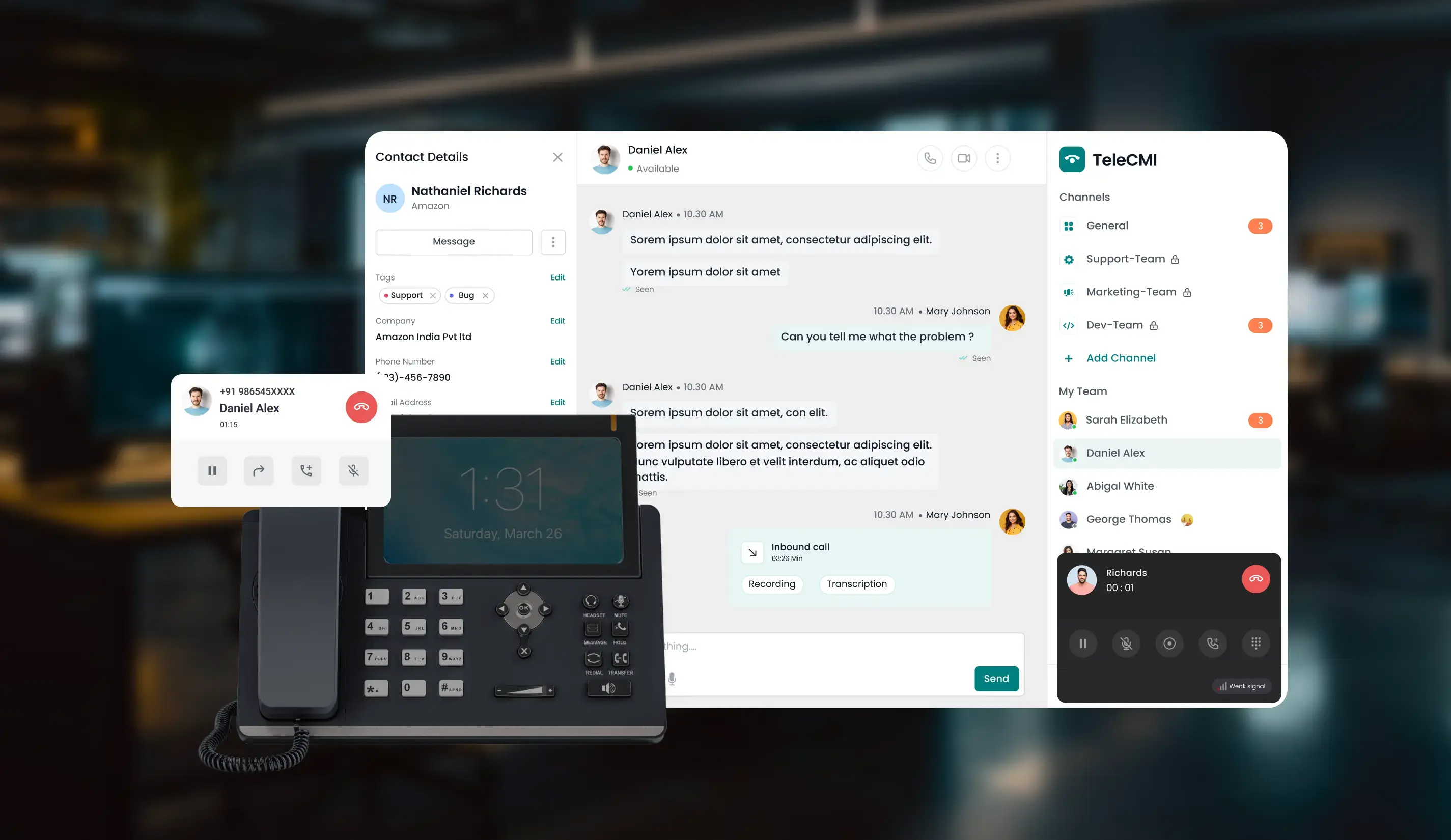
Click-to-call refers to the Internet phone service that enables one to connect directly to a website by simply clicking an icon, button, or any web link without actually dialing manually. After clicking on the button, the click-to-call solution makes the call within seconds via VoIP or telephony services directly to the agent or representative.
How Modern Click-to-Call Works
The process is simple:
- The visitor comes to your site or landing page.
- They click on "Call Now" or "Speak to Sales."
- The call is instantly made through the internet telephone technology.
- The call is directed to the appropriate person or department.
- The visitor’s information and call history are entered automatically into the CRM.
Modern technologies usually provide more advanced options such as intelligent routing, analytics, and automation.
Core Benefits of Click-to-Call
- Instant Connect: You can connect instantly with your customers without having to chase after them.
- Convenience: No more complicated forms to fill out; even dialing a number to make a call will become unnecessary.
- Improved Quality of Leads: The people calling you will most probably be interested in buying something.
- Integration Capabilities: Modern click-to-call technologies are integrated within CRM systems for easier lead management.
- Monitoring Calls: It becomes possible to monitor your calls based on their source, duration, efficacy, and results.
- Call Masking: Services that include call masking enable secure communication between customers and agents.
- Intelligent Conversations: Several firms integrate click-to-call with chatbots powered by artificial intelligence.

Turn website visitors into real conversations
Reduce friction and connect with potential customers instantly using TeleCMI's Click-to-Call solution with CRM integration, call tracking, and intelligent routing.
What are Contact Forms?
A contact form refers to an HTML form that is placed on your website and enables users to share their name, contact information, and message. The form will then get automatically sent to the email address of your business and prompt a reply from your team members.
How Contact Forms Work
- The customer reaches your contact form on your website (‘Contact Us’ form).
- He/she fills in the required data, such as name, email address, phone number, and the message. Then clicks on the ‘Submit’ button.
- Your team gets the contact form via email/CRM. You can start contacting your potential client.
Common Use Cases for Contact Forms
- Non-urgent/general contact inquiries and queries.
- Capturing leads during prolonged sales processes (B2B, SaaS, Enterprise).
- Gathering leads outside normal business hours without calling agents.Document or file submission alongside a request.
- Event registrations and newsletter signups.
Quick Comparison: Click-to-Call vs Contact Forms
Why Click-to-Call Converts Faster Than Contact Forms
Instant Response Builds Momentum
Conversion is likely to happen at a much higher rate when potential customers are searching for answers. The problem with delaying communication is that the client may move on to other firms that offer a more efficient approach. Click-to-call allows for immediate contact from the moment the user clicks.
Less Effort Means More Conversions
Every extra step in the conversion process creates friction. Long forms are typically intimidating to the user, particularly when using a mobile phone. The click-to-call feature is simplified to just one action. This added convenience will make a marked difference in your conversion rate.
Mobile Users Prefer Faster Interaction
Currently, website traffic primarily comes from mobile phones. Entering information via form submission can be tedious on such devices. The tap-to-call function is much more intuitive and instantaneous. At the same time, addressing canonical issues ensures that mobile and desktop versions of your pages are properly indexed, helping maintain consistent visibility and avoid duplicate content problems.
Comparison of Click-to-Call to Contact Forms: Conversion Rate
Businesses in all sectors have seen improved performance with call-driven leads.
Common trends include:
- Higher engagement rates
- Faster sales cycles
- Better-qualified leads
- Improved close rates
Phone conversations also help sales teams handle objections, answer questions, and build trust faster than email-based follow-ups.
When to Use Click-to-Call vs Contact Forms
Click-to-call is the better choice when:
- Your service has a higher price point — real estate, financial planning, legal, B2B software.
- Customers are making urgent decisions — medical care, insurance, home repairs, emergency services.
- The decision to purchase would involve convincing customers by giving them information right away.
- You are using pay-per-click advertising to generate leads and your website receives mobile visitors.
Contact forms work better when:
- The request isn't time-sensitive — RFPs, general inquiries, partnership discussions.
- You need the visitor to share documents or detailed specifications before you can respond.
- You work in B2B, where prospects always like to conduct their research before they engage in a conversation.
- You don’t have a lot of hours, and you require something that will help you generate leads asynchronously.
Should you use both?
For most companies, the answer is affirmative. The best practice would be to have click-to-call as the main call-to-action, while contact forms should serve secondarily to capture the leads.
Think of it this way:
Click-to-call is for those who want to make a purchase right away. The contact form is for those who will take a bit longer to think
How Companies Acquire Customers by Making Calls Instead of Collecting Form Information
Real Estate: Real estate leads tend to have decision-making power. These firms apply click-to-call functionality to their online listings so that potential customers can call immediately to get more information and visit the property.
Healthcare: Patients generally expect speedy interaction during consultation appointments. Therefore, healthcare organizations use click-to-call functions to avoid lengthy processes and increase customer engagement. Non-urgent matters are handled through contact forms.
Finance & Insurance: Insurance and financial solutions often need further elaboration before purchasing. Face-to-face conversations are important to clarify customer questions and provide solutions. Most insurance firms employ call center technology with integrated CRM software solutions.
How to Choose the Right Solution for Your Business
There's no universal answer, but there are some clear patterns:
- Premium-priced or relationship-based: Choose click-to-call as the core lead generation tool.
- Longer B2B sales process: Implement forms during initial research; use click-to-call when asking for demos and end discussions.
- More mobile visits: Click-to-call becomes almost mandatory. Avoid forcing mobile visitors to fill in forms.
- Industry under regulation: Ensure that your click-to-call system offers call masking and compliance recording capabilities before launch.
- Shorter working hours: Opt for contact forms at night; leverage conversational AI for calls outside working hours to catch more leads.
- Conducting paid marketing campaigns: Click-to-call greatly enhances your return on advertising investment by reducing the time lag between click and phone call.
When in doubt: Add click-to-call. You can always keep the form. But making it easier to call will almost always improve your lead volume.
Why Businesses are Moving Toward Click-to-Call
Customer expectations have changed. People now expect faster responses and smoother communication experiences. Businesses are adapting by moving away from slow lead response workflows and investing in real-time engagement tools.
Modern click-to-call platforms now include:
- AI-driven call routing
- Call analytics
- Automated follow-ups
- Conversational AI support
- Lead tracking software for businesses
This will help the business to respond quickly as well as deliver a better customer experience and conversion results.
Common Mistakes Businesses Make with Lead Capture
Delayed responses to leads who submit a form: In case a prospect fills out a form but gets no response within 24 hours, it’s more likely than not that he/she won’t wait around. When you’re using a lead generation tool, consider setting up a series of autoresponders to fire within minutes of the submission, not a couple of days later.
Running click-to-call with no call tracking: Being aware of the incoming calls is one thing, but knowing from which traffic source each phone number is being received is another. Using an adequate call tracking solution that comes integrated with analytical tools will give you full visibility into this area.
Forms with too many fields: The typical lead gen form features 5-7 fields; only 3-4 fields need to be completed in order to begin a dialogue with the client, however. Too many fields will reduce the number of leads that complete the form.
CTA for calls is buried: It’s important to keep in mind that visitors who access the website from their mobile devices will be hard-pressed to scroll down to your call request button or use a pinch gesture in order to reach the CTA.
No plan for after-hours calls. A visitor at 10pm who's ready to buy doesn't care that your office is closed. Conversational AI can qualify the lead, answer basic questions, and schedule a callback — so no one falls through the cracks just because of timing.
Conclusion
Contact forms remain relevant in certain scenarios, particularly for elaborate and not urgent queries. However, in terms of generating sales from potential customers, nothing compares to click-to-call, which is highly effective in creating immediate conversations at an opportune time.
Click-to-call becomes even more effective when a company integrates CRM, call tracking, call masking, and AI-based call routing.
All that a business needs to do is to embrace click-to-call on pages of the highest intent while using contact forms as a fall-back option.
Want to see what this looks like in practice? Explore TeleCMI's Click-to-Call Solution and find out how real-time calling can change your conversion numbers.
Still relying only on forms for lead capture?

See how faster conversations can help your business reduce drop-offs and improve conversions with TeleCMI Click-to-Call.
Frequently asked questions (FAQ)
Vignesh N

With deep expertise in cloud telecommunications, I help readers explore the latest trends in VoIP and modern business communication. At TeleCMI, I focus on educating businesses with clear, practical insights, making complex telecom concepts easy to understand. I’m passionate about helping organizations improve efficiency, enhance customer engagement, and adopt smarter communication strategies.


.webp)



