Transform your CX with Freshworks CRM and TeleCMI Integration

7 mins read

Posted on Dec 27, 2024
.webp)

Vignesh N
SEO


Vignesh N
SEO






The most prominent hurdle for any business growth is the fragmented communication system, which slows down operations and affects customer experiences. Now, businesses can overcome this barrier by integrating Freshworks CRM with a leading cloud telephony provider like TeleCMI.
G2 leader in Asia Pacific Region 2024, to ensure a unified approach to customer management by connecting the gaps between your communication and customer management tools with a proper data flow between your CRM and the telephony system.
This integration builds better customer relationships, empowers business growth, improves decision-making through real-time data, and streamlines operations.

Key Takeaways
 Seamlessly connect TeleCMI with Freshworks CRM to manage calls directly within your CRM dashboard.
- Automatically log call details, recordings, and notes under each customer profile for complete visibility.
- Eliminate app switching agents and can make, receive, and track calls from one unified workspace.
- Access live call analytics and performance reports to enhance decision-making and team efficiency.
- Empower agents with caller context before every conversation for faster and more personalized support.
What is cloud telephony Integration?
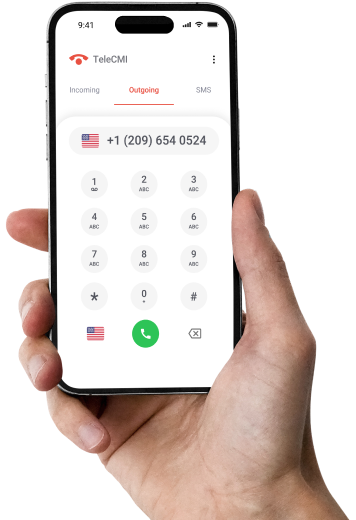
Cloud telephony integration connects CRM with the telephony system, offering a comprehensive suite of functionalities, such as click-to-call, Comprehensive dashboard, call logging, and AI-driven insights, integrated within the CRM. Salesforce Telephony Integration follows a similar approach by connecting telephony systems with CRM platforms, enabling teams to manage calls, automate workflows, and gain real-time customer insights. Businesses leveraging this integration streamline communications, increase customer engagement, and maximize productivity.
Why Businesses Must Consider Freshworks CRM Integration with Cloud Telephony?
Let’s consider why integrating Freshworks CRM with a cloud telephony system is crucial for transforming your operations and CX. This integration offers numerous benefits for businesses, including creating a more efficient, scalable, and customer-centric operation.
- Better Efficiency : Businesses can streamline workflows by automating routine tasks, reducing manual entry and minimizing errors, focusing more on strategic activities, and driving increased revenue.
- Enhance Customer Experience: By consolidating customer data into a centralized database, Businesses can offer a seamless customer journey with personalized interactions and quicker responses, driving increased customer loyalty.
- Improve Collaboration : Integrating Freshworks CRM with other business tools like customer support software, marketing platforms, and e-commerce systems will facilitate better team communication and collaboration and give access to relevant and up-to-date customer information.
- Scalability : Freshworks CRM telephony integration accelerates business operations with enterprise-grade data connections, automated data scaling, and runtime optimization without compromising performance or security standards.
- Cost Savings : Businesses leveraging this integration reduce ownership costs with features like plug-and-play, easy customizable integrations, and zero maintenance costs, making this integration process affordable and manageable.
- Customization : Customizing workflows and automating processes enhance productivity and efficiency. Businesses can personalize integrations to meet their needs with the help of pre-built connectors, low-code UIs, and flexible APIs.
- Data Security : Inbuilt compliance and user access management ensure strong security measures to prevent security breaches, protect customer data, and maintain compliance with industry standards.
- Actionable Insights : Companies gain insights into customer behavior, trends, and preferences by leveraging advanced analytics and reporting tools. Using this data, they can make informed decisions and optimize their sales, marketing, and customer service strategies.
How to Integrate Freshwork Crm With TeleCMI?
Now, let's discover how quickly you can complete this integration. Below is a detailed step-by-step guide for connecting Freshworks CRM with TeleCMI.
Step 1- API Key & Permissions
- Obtain Freshdesk API key
Login to your Freshdesk account and navigate to your profile settings to identify and copy your API key for integration.
- Enable API access in TeleCMI
Check if API access is enabled in your TeleCMI account to allow data sharing with external applications. Generate an API token from the TeleCMI admin settings for safe data exchange if necessary.
Step 2- Set up Integration
- Navigate to the Integration Section in TeleCMI
Log in to TeleCMI and proceed to the integrations section. From the list of available TeleCMI pre-built CRM integrations, identify and select Freshdesk.
- Input Freshdesk API key and Subdomain
In the integration settings, Enter your Freshdesk API key and respective subdomain (E.g., if your Freshdesk URL is yourcompany.freshdesk.com, you must use ‘your company’) and ensure that permissions are allowed for tickets, calls, and contact details.
Step 3- Configure Call Handling and Ticketing
- Set up Call Handling Rules
Define call routing rules in TeleCMI for customers contacting your Freshdesk support team and configure rules for missed calls to create tickets in Freshdesk automatically.
- Enable Call pop-ups and Auto Ticket creation
Activate call popups in Freshdesk so that agents can see customer details, notes, and ticket history during calls. Set up automatic ticket creation for missed calls or voicemails to ensure that every issue is resolved.

Companies that integrated cloud telephony with their CRM saw a 25% reduction in missed calls and emails
Step 4- Test the Integration
- Make a test call
Call the TeleCMI number from a test phone to ensure all details are logged inaccurately in the Freshdesk and verify the ticket creation and other relevant details if they are included.
- Verify Ticket Synchronization
Confirm if calls and tickets are synchronized between TeleCMI and Freshdesk. Also, ensure that any Freshdesk updates reflect on TeleCMI.
Step 5- Enhance Sales & Customer Support Efficiency
- Utilize Call Analytics
Leverage TeleCMI’s integration to get insights into call performance, response times, and tracking metrics like call frequency to improve productivity.
- Centralize Customer Data
Maintain an integrated view of customer interactions, including notes, calls, and emails, all in a single place for personalized service delivery.
Also Read Discover how Zoho CRM Phone system integration helps automate workflows beyond Freshworks
Key Benefits of Cloud Telephony Integration with Freshworks CRM
1. Lead Management
Utilize segmentation and targeting capabilities to run personalized marketing campaigns for targeted audiences. With real-time data synchronization, customer information can be updated across platforms for easy data access. The automated lead assignment deploys intelligent algorithms to auto-assign leads to respective team members depending on the predefined criteria, which enhances response times and efficiency.
2. AI-driven Insights
AI provides intelligent insights on customer preferences and behaviors, tracks and monitors customer life cycles, identifies the right time to engage with multiple customers, and enhances conversion rates. Automated task management automates routine tasks and follow-ups, allowing sales teams to focus on high-value tasks.
3. Click-to-call
Avoid manual dialing by allowing your teams to make calls directly from the platform with a single click using the click-to-call feature integrated into Freshworks CRM. Businesses can save ample time and effort by avoiding switching between platforms or toggling screens and reducing the scope for errors. Sales and support teams can ensure quicker and more efficient connections to prospective customers, maximizing performance.
4. Comprehensive Dashboard
The integrated dashboard gives a centralized view of all the communication activities within the Freshworks CRM, starting from call logs, call volumes, agent performance, real-time analytics, and more. This unifies all the business communication metrics in one single place, thereby assisting teams in identifying trends, optimizing decision-making, obtaining actionable data, and tracking performance precisely.
5. Call Logging
Automatic call logging guarantees the recording and storage of every customer interaction within Freshworks CRM. Teams will have instant access to detailed records of call history, duration time, and call outcomes to deliver customized follow-ups and context-driven conversations to customers. With this feature, businesses can have a holistic view of customer interactions, build stronger relationships, and make informed decisions.
To Sum Up :
Integrating Freshworks CRM with TeleCMI’s advanced cloud telephony offers comprehensive AI-powered solutions to revolutionize your customer experience. Businesses of all shapes and sizes can streamline operations, improve customer interactions, and drive maximized efficiency with our expertise and dedicated support team.
Businesses can optimize every customer touchpoint with real-time data synchronization, intelligent data analytics, lead management, and an intuitive dashboard. This integration keeps you ahead in the competitive market, drives customer relationships, and boosts business growth by transforming your CX. Want to know more?
Seamlessly Connect Your TeleCMI with Freshworks CRM Today!

Instant Integration
Real-Time Insights
Boost Productivity
Frequently asked questions (FAQ)
Vignesh N

With deep expertise in cloud telecommunications, I help readers explore the latest trends in VoIP and modern business communication. At TeleCMI, I focus on educating businesses with clear, practical insights, making complex telecom concepts easy to understand. I’m passionate about helping organizations improve efficiency, enhance customer engagement, and adopt smarter communication strategies.