
How Click-to-Call Improves Lead Response Time for Sales Teams

12 mins read

Posted on Aug 24, 2026

Vignesh N
SEO


Vignesh N
SEO






Five minutes can make a big difference when a new lead comes in. A prospect who has just submitted an inquiry has already shown an active interest in your product or service, making timely follow-up especially important.
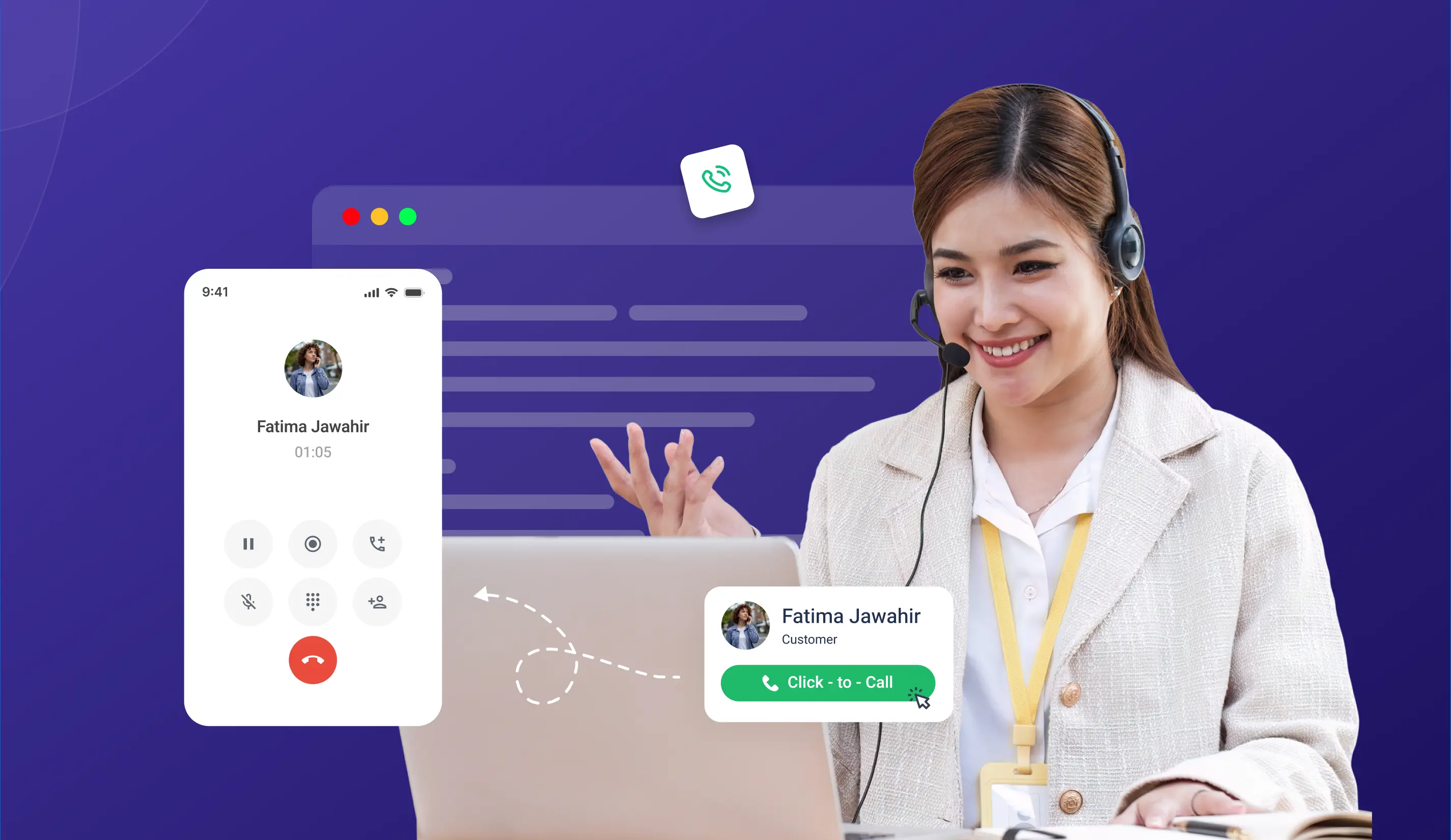
Click-to-call helps shorten that gap. A rep opens the lead, clicks the phone number, and starts the call. There’s no manual dialing, no searching through CRM fields for a number, and no switching between multiple tabs to reach the right person.
For sales teams, the benefit is simple: less time preparing to call and more time talking to leads.
This guide explains how click-to-call works, how sales reps can use it during their daily workflow, and how it can help reduce lead response time. First, it looks at practical use cases, from following up with new inquiries to reestablishing connection with older leads and handling missed calls.

Key Takeaways
 Research on web-generated leads shows that faster follow-up can significantly improve contact and qualification rates.
- Click-to-call cuts out manual dialing, number lookup, and tab-switching
- CRM-integrated click-to-call can log call activity, keep lead history visible, and associate call recordings with the relevant contact, depending on the integration.
- Website click-to-call buttons let a visitor start talking the moment their interest peaks.
- Good click-to-call setups pair speed with context, so faster calls are also better.
What Is Click-to-Call and How Does It Work?
Click-to-call, in plain terms, lets a sales rep start a call by clicking a contact’s phone number, right from a CRM record, a browser window, or a web page. No manual dialing is required at any point.
Behind that click, the phone system connects the rep’s device to the contact’s number via the cloud telephony platform running quietly under the surface. Rep sees a number. Rep clicks. Call connects. That’s the whole mechanism.
It shows up in a handful of places through a typical workday: CRM contact records, website lead forms, helpdesk tickets, embedded buttons on web pages, and outbound calling dashboards where a full list of leads sits waiting.
What it replaces can be measured in small, repetitive friction: reps look up a number, copy and paste it elsewhere, and switch tabs to check the correct contact details.
Why Speed to Lead Deserves More Attention Than It Usually Gets
Speed matters when responding to web-generated leads. Research from Dr. James Oldroyd and InsideSales.com found that calling a lead within five minutes, compared with waiting 30 minutes, increased the odds of contacting the lead by 100 times and the odds of qualifying the lead by 21 times.
The study focused specifically on web-generated leads, so these figures should be treated as research findings rather than a guaranteed outcome for every sales team. Still, the underlying lesson is clear: reducing the time between lead submission and the first sales call can give teams a better opportunity to engage prospects while their interest is fresh.
Picture a typical response flow: a lead comes in, gets assigned, and the rep opens the CRM, finds the contact, copies the number, switches to a phone or dialer, and makes the call. Each individual step may take only a few seconds, but together, they can add unnecessary delay.
When buyers are evaluating multiple vendors, responding quickly gives sales teams a better opportunity to start the conversation while the prospect is still engaged. Click-to-call helps reduce the manual steps between lead assignment and the first call.
The assignment step deserves the same attention. If a new lead sits unassigned in a queue or goes to a rep who's out of office, the clock keeps running before anyone can click to call. Teams that use lead routing tools like LeadAngel assign each inbound lead to the right available rep based on territory, account ownership, and rep availability, so the first call can happen as soon as the lead arrives.
The takeaway is fairly simple: having a lead’s number isn’t enough. Sales teams also need a quick, reliable way to reach the right person while the lead is still engaged. That is where click-to-call matters most.
How Click-to-Call Specifically Cuts Down Response Time
- Number lookup disappears
The rep never needs to find, copy, or type a number by hand. It’s already sitting right there on the contact record. What used to take three or four small steps now takes one click.
- The rep stays inside the CRM
Without click-to-call, a rep needs to step out of the CRM to dial from a phone, and the lead's visual context goes with them. With click-to-call, the call starts directly in the CRM, so the rep stays on the record, sees the full history, and opens the conversation already knowing where things stand.
- A web form turns into an instant callback
When a client fills out a contact form on a website with click-to-call, the rep assigned to that lead calls back with a single click, often within seconds of the form landing.
- Handoffs between teams get faster too
A lead is nurtured from marketing to sales, or from one rep to another. The receiving rep can call right away from the CRM assignment alert: no extra setup step, no separate lookup.
- Mobile works the same way
Field sales reps calling from a mobile click-to-call app reach leads directly from the CRM view on their phone—no switching to a separate dialer, no typing a number by hand, no switching back afterward.
Click-to-Call Inside the CRM: Where the Real Value Actually Sits
A plain web click-to-call button connects a call. A CRM-integrated version does more than that, and that added context makes the next step more useful.
When the click occurs within the CRM, several things fall into place at once. The call starts. The contact record stays open. The rep can see lead history, deal stage, and previous notes without having to hunt for them. It depends on the telephony and CRM integration. Many CRM-integrated calling solutions can automatically log call activity against the relevant contact, while recording and follow-up features depend on the specific integration and configuration.
It’s important for response time to go beyond raw speed. The rep isn’t only calling faster. They’re calling with the full picture already in front of them, and that usually makes the first conversation more useful for both sides.

Stop Manually Dialing. Start Calling Leads Faster with TeleCMI Click-to-Call.
Start 14 Days Free TrialClick-to-Call vs Manual Calling
Click-to-Call Use Cases for Sales Teams
.webp)
1. Inbound web lead follow-up. A prospect fills a demo request form at 2 PM. The lead lands in the CRM and gets assigned instantly. The rep clicks the number on the record and is on a call within a minute before the prospect moves on.
2. Outbound lead list calling. A rep has fifty leads assigned for the day. Rather than dialing each one manually, they move down the list, clicking to call from each record and keeping the full context for every contact without switching tools.
3. Re-engagement campaigns. A sales manager takes a list of leads who have not responded in the past 30 days. The team works through the list using click-to-call to contact quickly. Each time they call, they have the full customer history right in front of them, so the conversation appears personal and informed.
4. Trade show and event follow-up. Business cards collected at an event get uploaded as new contacts. The team calls each one from those new records within the first hour using click-to-call, while the event is still fresh for the prospect.
5. Missed call callback. When a call is missed, the CRM instantly sends an alert. The person handling callbacks can click to call from the notification, making it easy to get back to the customer within minutes instead of first having to find their number.
A Quick Before-and-After
Without click-to-call: A lead comes into the CRM, the rep searches for the contact, copies the phone number, opens the phone system, pastes it, makes the call, then switches back to the CRM and manually updates the record.
With click-to-call: The lead enters the CRM, the rep clicks to call, the conversation starts, the call is logged, and follow-up continues from there.
Click-to-Call for Website Visitors: The Embedded Button
An embedded click-to-call button on a website lets a visitor start a call to the business with a single click. From the visitor’s side, it’s simple: click the button, and the call connects on their own device.
This changes things for the business side, too. Instead of waiting for someone to fill out a form, have it processed, and then get assigned to a rep, the visitor is already on the phone and having a conversation. That’s why a click-to-call button works especially well on pricing pages, product pages, contact pages, and other high-intent landing pages.
TeleCMI’s click-to-call Chrome extension and embedded website widgets are built for exactly this moment, giving a visitor a direct line the instant their interest peaks.
What to Look for in a Click-to-Call Solution for Sales Teams
A handful of questions are worth running through before picking one. Does it connect natively with the CRM already in use, rather than leaning on some separate integration layer? Does every call log itself once it’s over? Does it work just as well on desktop as it does on mobile, for reps who are rarely sitting at a desk? Does call recording link back to the contact record on its own? Can it sit embedded on the website for visitors who’d rather call in directly? Does the caller ID show the business number rather than a rep’s personal one? And can a sales team set the whole thing up on their own, or does it need IT included at every step?
TeleCMI’s click-to-call, paired with native CRM integrations, is built around exactly these questions, letting teams set up quickly and keep every call tied to the right contact record from day one.
TeleCMI’s current standing is 4.8/5 across 300+ reviews, with click-to-call listed as one of its recognized calling features on the platform. It gives sales teams a faster way to respond, stay organized, and keep conversations moving from the first click to the final follow-up.
How TeleCMI Helps Sales Teams Respond to Leads Faster
TeleCMI helps sales teams reduce the friction between receiving a lead and making the first call. With click-to-call, reps can initiate calls from supported CRM workflows without manually entering phone numbers. Depending on the integration and configuration, call activity can be logged against the relevant contact, while business caller ID helps teams maintain a consistent calling identity.
Sales teams can also use TeleCMI's calling capabilities across mobile workflows and website click-to-call experiences, giving both reps and prospects a simpler way to start conversations.
How to Measure the Impact of Click-to-Call
The impact of click-to-call should be measured through response time and sales outcomes, not simply call volume. Sales teams can track:
- Average lead response time
- Time from lead assignment to first call
- Call connection rate
- Lead qualification rate
- Lead-to-opportunity conversion rate
- Missed-call callback time
- Calls completed per sales rep
Comparing these metrics before and after implementing click-to-call can help teams determine whether faster calling is translating into more meaningful sales conversations.
Conclusion
Lead response time is one of the highest-leverage variables in sales conversion, and improving it doesn’t need extra headcount or a complicated rollout. Click-to-call takes the manual steps out of the equation, so the fastest response is also the easiest for a rep to make.
Ready to Reduce Lead Response Time with Click-to-Call?

One-Click CRM Calling
Automatic Call Logging
Lead History at Your Fingertips
Faster Follow-Ups
Frequently asked questions (FAQ)
Vignesh N

With deep expertise in cloud telecommunications, I help readers explore the latest trends in VoIP and modern business communication. At TeleCMI, I focus on educating businesses with clear, practical insights, making complex telecom concepts easy to understand. I’m passionate about helping organizations improve efficiency, enhance customer engagement, and adopt smarter communication strategies.


.png)
.webp)



