
Cloud Telephony Features: The Complete Guide to Choosing What Your Business Actually Needs

17 mins read

Posted on May 21, 2024


Saravana Kumar
SEO


Saravana Kumar
SEO






Choosing a cloud phone system can feel like going through a 50-item checklist and trying to decide what you need. IVR, call recording, auto dialers, analytics, call queues, CRM integrations - there is always another feature on the list. The important part is figuring out which ones actually solve problems for your team.
A sales team may need a dialer and CRM automation, while a support team may need skill based routing, queues, and supervisor controls. A field-service team, on the other hand, may need number masking and mobile calling.
This guide takes a practical look at cloud telephony features based on how teams use them. For each feature, it explains what it does, where it can be useful, and what to check before choosing it. Instead of chasing the longest cloud telephony feature list, the focus is on finding what your team will actually use.
How to Think About Cloud Telephony Features Before Evaluating Any Provider
A feature name tells you very little on its own. Take IVR or call recording. Two platforms may both offer these features, but the actual functionality can differ significantly. One IVR may support only a basic menu, while another may allow multi-level menus, different call flows, and routing based on business hours.
Similarly, call recording can vary in how recordings are accessed, how long they are stored, and how they work with other systems. When comparing the features of cloud telephony, look at how each feature fits into your actual workflow instead of simply counting how many features a provider offers.
The right features depend on who is using the system and what they need to do. A sales team making outbound calls may look for click-to-call, auto dialer, & CRM integration. A support team handling inbound queries may need queues, skill-based routing, and supervisor controls. For remote teams, mobile and desktop calling may be more important. Use these needs as the starting point for your comparison.
And then, separate features into two groups: must-have and nice-to-have. A must-have feature is one the team cannot operate effectively without. A nice-to-have feature could improve the workflow but is not essential. This distinction helps prevent businesses from paying for unnecessary feature depth. When evaluating cloud telephony software features make sure to assess each capability against the work your team actually needs to perform.
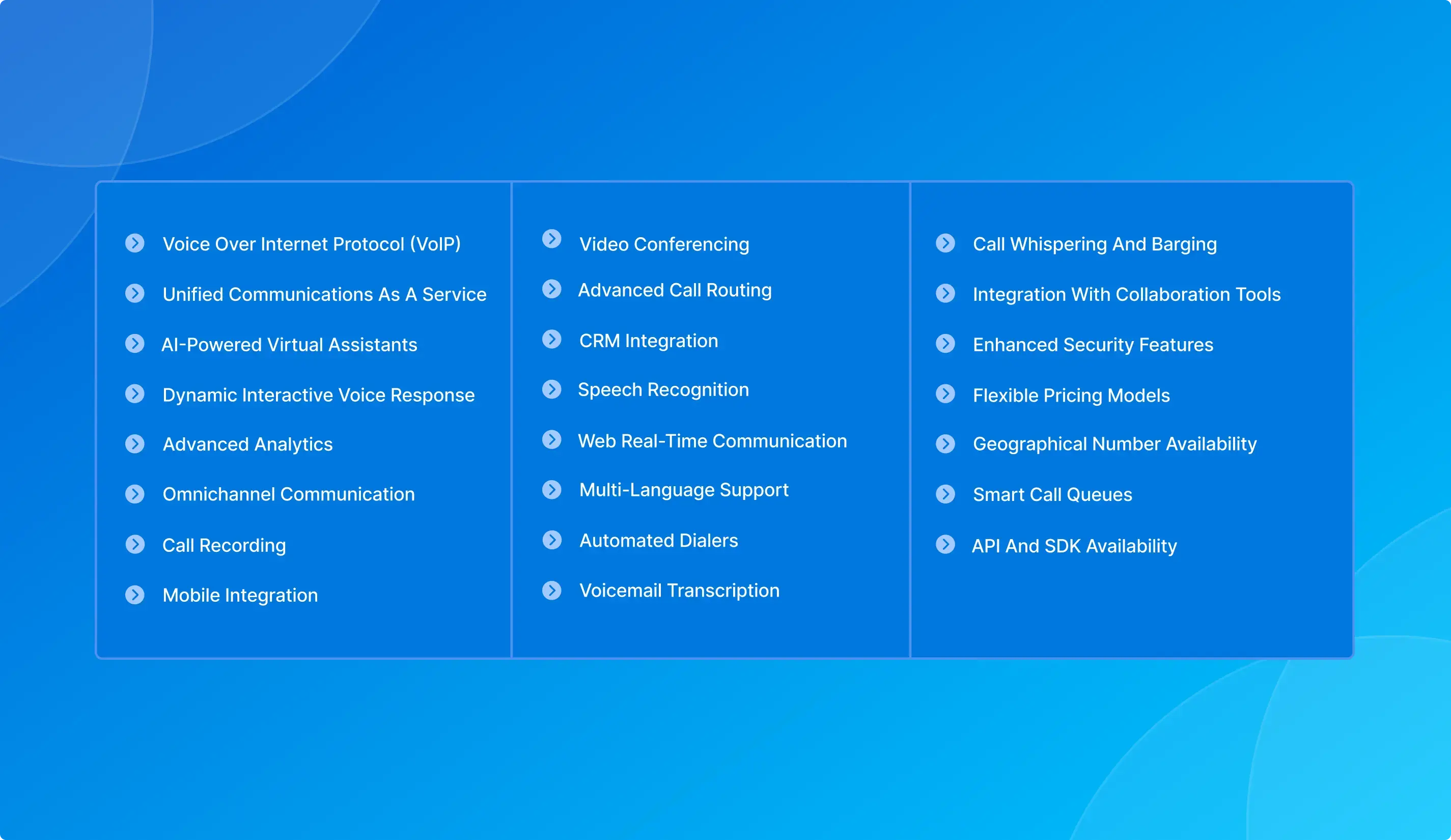
Core Calling Features
Most businesses start by looking at these core calling features. The key is to look beyond whether a feature is available and see what control it actually gives your team.
IVR
An Interactive Voice Response system lets callers choose an option from a voice menu, such as sales, support, billing, or a specific language. A well-designed IVR can send callers toward the right team before an agent answers, reducing unnecessary transfers.
Check whether the IVR supports more than a basic single-level menu. Look for the ability to create menus within menus, customise prompts, and set different call flows for departments, languages, or business hours.
Call Routing and Overflow Rules
Call routing decides where an incoming call should go. The rules can be based on agent availability, time of day, caller location, skills, or other conditions set by the business.
For example, a billing question can go to an agent trained to handle billing, while an after-hours call can be sent to a backup team or another configured destination.
When comparing cloud telephony features, check how easily these rules can be changed. If every routing adjustment requires technical assistance, the feature may become difficult to manage. Ideally, non-technical administrators should be able to configure and update routing rules from the dashboard.
Virtual Business Number
A virtual business number gives a company a dedicated phone number that is managed through its cloud phone system rather than being tied to a physical desk phone or an employee's personal mobile number. Incoming calls to the number can be routed to the right employee, team, mobile device, or other configured destination based on the business's call flow.
Employees can use a business number to make and receive calls without exposing their personal numbers. That number can be used by teams in different locations too, so businesses don't need a separate physical line for each employee.
When evaluating this feature, check whether the provider offers numbers in the cities and countries your business operates in or serves. Also check which number types are available and how the number can be assigned and routed across your team.
Call Recording
Call recording saves conversations so authorised team members can review them later. It can be useful for quality checks, resolving disputes, compliance, and training agents.
But there is more to check than whether call recording is available. Look at how long recordings are stored, who can access them, how easily they can be retrieved, and whether they can be linked to CRM records. Simply seeing “call recording included” on a feature list doesn't tell you much about how it will work for your team.
Missed Call Alerts and Callback
Missed call alerts notify the team members when an incoming business call goes unanswered, so agents can follow up instead of relying on memory or manually checking call records. The callback feature gives agents a dedicated list of missed calls that need a response.
The callback list provides useful context for follow-up. This includes the date, time, customer's phone number, and waiting duration of the missed call. This will help the agents understand when the call was missed and prioritise callbacks based on the available information.
When evaluating this feature, check whether missed-call alerts are immediate and whether the callback list provides enough context for agents to follow up efficiently.
Mobile and Desktop App
Mobile and desktop calling allows employees to make and receive business calls through laptops, desktops, or mobile devices instead of relying on a fixed office phone.
This can be useful for remote and hybrid teams, field employees, and staff who work from different locations. But mobile apps can differ quite a bit. Check whether employees can make and receive calls, use business numbers, transfer calls, view call details, and access the main features available on the desktop.

Features for Sales Teams
Sales teams often need cloud telephony software features that reduce manual work between prospecting, calling, and CRM updates.
Click-to-Call
Click-to-call lets sales agents dial a contact by clicking their number directly inside the CRM, eliminating manual dialing and tab-switching. This can remove around 30 - 60 seconds of manual work per call. At 50 calls a day, that translates to roughly 25–50 minutes of recovered selling time per rep per day.
The time savings can really add up for high volume sales teams, where agents make calls throughout the day. When comparing this feature, check whether it works directly inside your CRM or needs an extension or separate connector.
Auto Dialer
An auto dialer helps teams make high-volume outbound calls without manually dialling each number. The 2 common modes are predictive and progressive.
A predictive dialer places calls before an agent is free, using factors such as agent availability and expected call duration. It can dial multiple numbers for each agent. For example, a 1:3 ratio means the system may place three calls for every available agent. When a customer answers, the call is connected to an available agent.
A progressive dialer waits until an agent is available before placing the next call. At a 1:1 ratio, one call is placed for each available agent. This gives agents more control over the calling pace.
When comparing these features of cloud telephony, check which dialing modes and pacing options the provider supports.
CRM Integration - Screen Pop and Auto Logging
A CRM integration can connect calling activity with the customer record. When a call connects, a screen pop can bring up the relevant contact information so the representative has context before speaking with the customer.
After the call, the system may automatically log details such as call duration, outcome, and recording, depending on the integration.
Also, make sure to check whether the integration is native or depends on a third-party connector. Also confirm exactly what information is synchronised and whether the connection supports data flow in both directions. These details often matter more than the label "CRM integration."
Call Analytics for Sales Managers
Sales managers can use call analytics to see how the team's outbound calling is going. Useful metrics include calls per agent, talk time, connection rate, call outcomes, and when call volumes are highest.
The point isn't to track every action just because the data is available. Managers can use these metrics to spot where coaching may be needed, compare calling patterns, and see whether campaigns are getting the level of activity they were planned for.
Features for Customer Support Teams
Support teams have different requirements from outbound sales teams. Their cloud telephony features need to help distribute incoming calls, maintain context, and give supervisors enough visibility to support agents.
Skill-Based Routing
Skill-based routing sends callers to agents based on their area of expertise. A billing enquiry can go to a billing-trained agent, while a technical issue can be routed to someone with the right technical knowledge.
This reduces the need to transfer calls between teams and helps the right agent handle the enquiry from the start.
Check how skills are assigned and whether your admins can change them without relying on technical support.
Sticky Agent
Sticky-agent routing can connect a returning caller with the same agent when the setup allows it.
The main benefit is continuity. If the agent already knows the customer's issue, the customer doesn't have to explain everything again. This can be useful for account management and support teams that deal with issues over multiple calls.
Check whether sticky routing can be enabled selectively and how the system behaves when the previous agent is unavailable.
Call Whispering and Barging
These supervisor features serve different purposes.
Monitoring or listening allows a supervisor to hear a live call without taking part in the conversation. Whispering lets the supervisor provide real-time guidance to the agent during the call. Barging allows the supervisor to join the conversation when direct intervention is required.
Queue Management and Wait Time Announcements
Queue management handles calls when all agents are busy. Callers who wait will be told their position in the queue and how long they may need to wait. They can also be given the option to request a callback.
This can be useful for teams that deal with changing call volumes. When comparing providers, check whether queue messages can be customised and whether callers can request a callback instead of staying on hold.
Sentiment Analysis
Sentiment analysis helps teams understand how customers felt during a completed conversation. It can flag positive, negative, neutral, or even mixed interactions. This will help support teams identify recurring frustration, difficult calls, and also the changes in sentiment during the conversation.
Since the analysis happens after the call, it is mainly useful for quality reviews, coaching, and finding patterns across conversations rather than helping agents during a live call. When comparing this feature, check what sentiment signals are available and whether you can review them alongside transcripts, call scores, topics, and other post-call insights.
Features for Operations and Management Teams
Operations teams need visibility into what is happening across the calling environment. Several cloud telephony software features are particularly relevant here.
Real-Time Dashboard
A real-time dashboard gives managers a live view of active calls, agent status, queue depth, and campaign or performance data in one place.
For an operations manager, this makes it easier to see what is happening as calls come in. A growing queue, fewer available agents, or an unusual spike in call volume can be spotted early and addressed before it causes bigger problems.
Check which metrics are available in real time and whether dashboards can be filtered by team, agent, campaign, or time period.
Call Quality Scoring and QA Tools
Call quality scoring helps managers evaluate conversations against defined criteria and maintain consistent quality standards across teams. It gives managers a structured way to identify gaps in call handling, adherence to processes, and customer interactions. Scores can also help highlight calls that need closer review or coaching.
The important thing is how the scoring system fits into the team's QA process. Check whether managers can set their own evaluation criteria, review scores, listen to the calls behind them, and use the findings for coaching.
AI Call Summaries and Transcription
Transcription converts recorded conversations into text, while AI-generated summaries can capture key points without requiring an employee to write detailed notes after every call.
The outputs can also be added to CRM records, so the next agent has more context when taking over a conversation. Check how accurate the transcription is, which languages are supported, how useful the summaries are, and which systems can receive the information automatically.
Number Masking
Number masking uses proxy numbers so that two parties can communicate without seeing each other's actual phone numbers.
This is useful for delivery services, marketplaces, field-service operations, and other workflows where customers and workers need to communicate but their personal numbers should remain private.
When evaluating masking, check how calls are routed through the proxy number and how long the masked connection remains available for the relevant workflow.
Uptime and Redundancy
Uptime may not appear as a typical phone system feature, but it matters when choosing a provider. Look at the infrastructure supporting the service, how failover is handled, and what happens when there is an outage. A 99.99% uptime commitment sets a high availability target, but it should be considered along with how the provider is set up to maintain that availability.
When comparing providers, check the SLA, redundancy setup, failover behaviour, incident communication, and historical uptime if that information is publicly available. This gives you a better idea of how the platform handles outages and other service disruptions.

Salesforce's seventh State of Service research found that companies with unified service-channel data were 1.4 times more likely to describe their AI implementation as very successful than those with siloed systems. The finding highlights the importance of connected data for AI and analytics in service workflows.
How to Evaluate Features Before Choosing a Provider
Knowing what to look for in cloud telephony is as important as knowing which features exist. A product demonstration can make almost any capability look useful, so evaluate each one against your actual workflow.
Test at Real Call Volume
Most providers offer a free trial, so test the platform with the call volume your team normally handles rather than running only a few test calls. Some features can behave differently when more calls are happening at the same time. During the trial, test routing, queues, recordings, dashboards, transfers, callbacks, and CRM workflows under normal working conditions. This gives you a better idea of how the cloud telephony software features will work in day to day use.
Check What Is Included vs What Costs Extra
A feature may be listed on a provider's website but still be limited to certain plans or come with extra charges. Things like recording storage, integrations, analytics, and advanced controls can vary between plans. Check what is included in the plan you are considering and what will cost extra.
Before comparing cloud telephony products and services, document which capabilities your team needs and confirm what is included for the specific package under consideration.
Confirm Native vs Middleware Integration
“CRM integration” can mean different things depending on the provider. Make sure to check whether the integration is native or needs middleware, what information is synced, and whether data can move in both directions.
It's also worth testing the everyday workflow. Can users call from the CRM? Does the right customer record appear when someone calls? Is the call logged automatically? Are recordings and outcomes saved against the correct contact?
Evaluate Support Alongside Features
Even a feature-rich platform can be difficult to manage if your team needs support for every minor change.
Check what administrators can manage on their own, which support channels are available, and how technical issues affecting calls are handled.
Ask About the Feature Roadmap
The buyer should understand both current functionality and the direction of the product. Ask how often the platform receives updates and whether the provider is continuing to develop the areas relevant to your business.
Do not choose a product based on an unconfirmed future capability. Evaluate what exists today first.
HubSpot's sales research highlights the time sales teams spend on administrative work, with representatives dedicating about one hour a day to administrative tasks. Automated call logging and CRM workflows can reduce manual data entry and keep customer activity recorded in the right place.
Which Cloud Telephony Features Does TeleCMI Include?
TeleCMI offers a broad set of calling and communication capabilities covering IVR, call routing, call recording, monitoring, whispering, barging, number masking, virtual numbers, and related call-management workflows. The platform also includes real-time dashboards, failover, APIs, and administrative controls.
For sales and support teams, TeleCMI supports click-to-call, call routing, monitoring, recording, and integrations with business tools. It connects with 170+ CRMs and business tools, helping teams bring calling into the systems they already use. The exact features and data synced can vary by integration.
TeleCMI also offers a free 14-day trial, giving teams an opportunity to test relevant workflows before committing. The trial is most useful when you evaluate the features against your actual calling requirements rather than trying to use every capability available.
Wrapping Up
A longer cloud telephony feature list doesn't necessarily mean a better fit for your business. What matters is whether the features match your team's day-to-day work.
Start with your users and the calls they handle, then decide which features are essential and which ones are optional. Then test the system with your normal call volumes and check how its integrations, recording, analytics, routing, and support work in practice.
That approach makes what to look for in cloud telephony much clearer: choose the feature set that fits your team's actual work rather than choosing a platform because it has more features on the page.
Take Control of Your Business Calls with AI-powered Cloud Telephony!

Cloud Phone System
Multi-channel Communication
Advanced Call Center Features
Frequently asked questions (FAQ)
Saravana Kumar

I’m passionate about exploring and sharing insights on modern cloud communication technologies. At TeleCMI, I focus on helping readers understand the evolving world of cloud telephony and IVR solutions in a simple yet in-depth way. My goal is to deliver genuine value by turning complex telecom concepts into clear, actionable knowledge that builds trust and drives innovation.

