
How to Reduce Missed Customer Calls Using an Automated IVR System

12 mins read

Posted on May 07, 2026


Saravana Kumar
SEO


Saravana Kumar
SEO






For SMBs and service-based providers, each call is a prospect, a support request, or a satisfied customer trying to make a purchase. When calls aren’t answered because of heavy workloads at peak hours, out-of-business inquiries during off-hours, or staff unavailability, it’s not the customer who waits but your competitor who answers their inquiry or takes their purchase away.
This is where an automated IVR system transforms from a luxury into a necessity. An automated IVR system enables businesses of any size to answer every call, route it intelligently, and keep customers moving around the clock. This guide breaks down exactly how IVR automation reduces missed calls, what to look for in a solution, and how to get started without the complexity.

According to Forbes, between 35% and 50% of sales go to the business that responds first, highlighting the importance of timely call handling
Why the "Busy Tone" is Killing Your Conversions
Relying on manual call handling is a gamble. If your team is stuck on a long troubleshooting call, the next three callers might hear a busy tone and hang up. This "busy tone" syndrome is the silent killer of conversions. Several factors contribute to this bottleneck:
- Peak Hour Overload: Most businesses experience "rushes" where call volume triples, for a specific window. Manual teams simply cannot scale instantly to meet this demand.
- Limited Staffing: Human resources are expensive and finite. You cannot always have, ten people sitting by the phone "just in case."
- Lack of Structured Routing: Without an automated voice response, calls often bounce, between departments, leading to frustration and dropped connections.
- After-Hours Dead Zones: If your business closes at 6 PM, but your customers are, active at 8 PM, you are losing a massive chunk of the market.
What Is an Automated IVR System?
An automated IVR system is a type of technology that enables people to communicate with a phone system controlled by a computer using voice or Dual Tone Multi-Frequency (DTM). Simply put, IVR is the menu that greets customers when they dial a bank or airline number (e.g., “Press 1 for sales, press 2 for support”)
Modern IVR automation has evolved far beyond simple menus. Today’s systems support:
- Key-pad navigated: The user types in numbers from the keypad in order to navigate the menu.
- Voice recognition: The person making a phone call utters his request, and the system recognizes it.
- Intelligent call routing: The call gets automatically redirected according to the time of the day, the calling person’s profile, or the abilities of an agent.
- Self-service: The customer gets assistance with their queries regarding ordering, delivery, or information updates without contacting an agent
Regardless of whether the call is made using a simple keypad menu or complex voice recognition software, the objective is simple, efficient, immediate engagement
How Automated IVR Reduces Missed Calls
This is where IVR automation proves its value. It does not just handle calls. It prevents them from being missed in the first place.
The moment a customer dials your number, the IVR picks up, no ringing, no waiting, no "all agents are busy" silence. Every single call is acknowledged immediately. The customer who feels engagement will remain on the line compared to one who waits for ten rings, wondering if there is anyone on the other end of the phone. The IVR tool creates room, collects data, and maintains the customer's interest.
Intelligent Call Routing
Not all calls require an agent. However, of the calls that need agents, each call demands its own skills and attention. With the automated IVR system, the calls will be directed depending on the rules you have set out. These may include the department chosen, customer records from your CRM, call timing, and available agent. Billing calls are directed to the finance team, while technical calls go to Tier-2 support.
Handles High Call Volumes
Unlike during the busy periods, where only one customer call can be attended by one customer service agent at any one moment, IVRs have unlimited capacity. They can handle hundreds of calls concurrently; queuing them up and starting the routing process without any need for human interaction. Businesses operating seasonally, businesses that do their sales on holiday days, businesses involved in tax seasons, and healthcare services operating during flu seasons cannot afford to lack such scalability capability.
24/7 Availability
The call center operates without downtime. After working hours, the IVR system continues to receive and process the calls and even directs some calls to an available agent who is on call after office hours. It becomes helpful to firms serving customers across different regions with varied time zones or even those that operate in emergencies after hours.
Reduces Unnecessary Transfers
Transfers within a firm lead to many dropped calls. When clients are repeatedly transferred from one department to another, this leads to more call drops. With the use of the IVR system, the problem of call transfers is sorted out as it allows for connecting the customer to the right agent on the first try.
Additional Benefits Beyond Missed Calls
While handling missed calls would be considered the major advantage, there are many other benefits of having a system that is capable of answering calls via automatic voice message:
Common Signs Your Business Needs an Automated IVR System
If any of these sound familiar, it's time to seriously consider IVR:
- Your team regularly misses calls during busy periods.
- Customers frequently complain about long hold times or multiple transfers.
- You have no coverage outside business hours.
- Your agents spend significant time on routine, repetitive questions.
- You're growing, but can't afford to grow your support team proportionally.
- You have no visibility into call volume patterns or peak times.

Turn Missed Calls into Conversions
An IVR system will allow you to react immediately, direct your customers properly, and remain reachable 24/7
Industries That Benefit Most from Automated IVR
Although almost any organization receiving phone calls can reap benefits from using IVR technology, it is especially useful when used by organizations in which the number of phone calls received is high, expectations are high, and missing a call is expensive; some industries include healthcare, law firms, real estate firms, finance, e-commerce, hotels, and field service firms.
Key Features to Look for in an IVR System
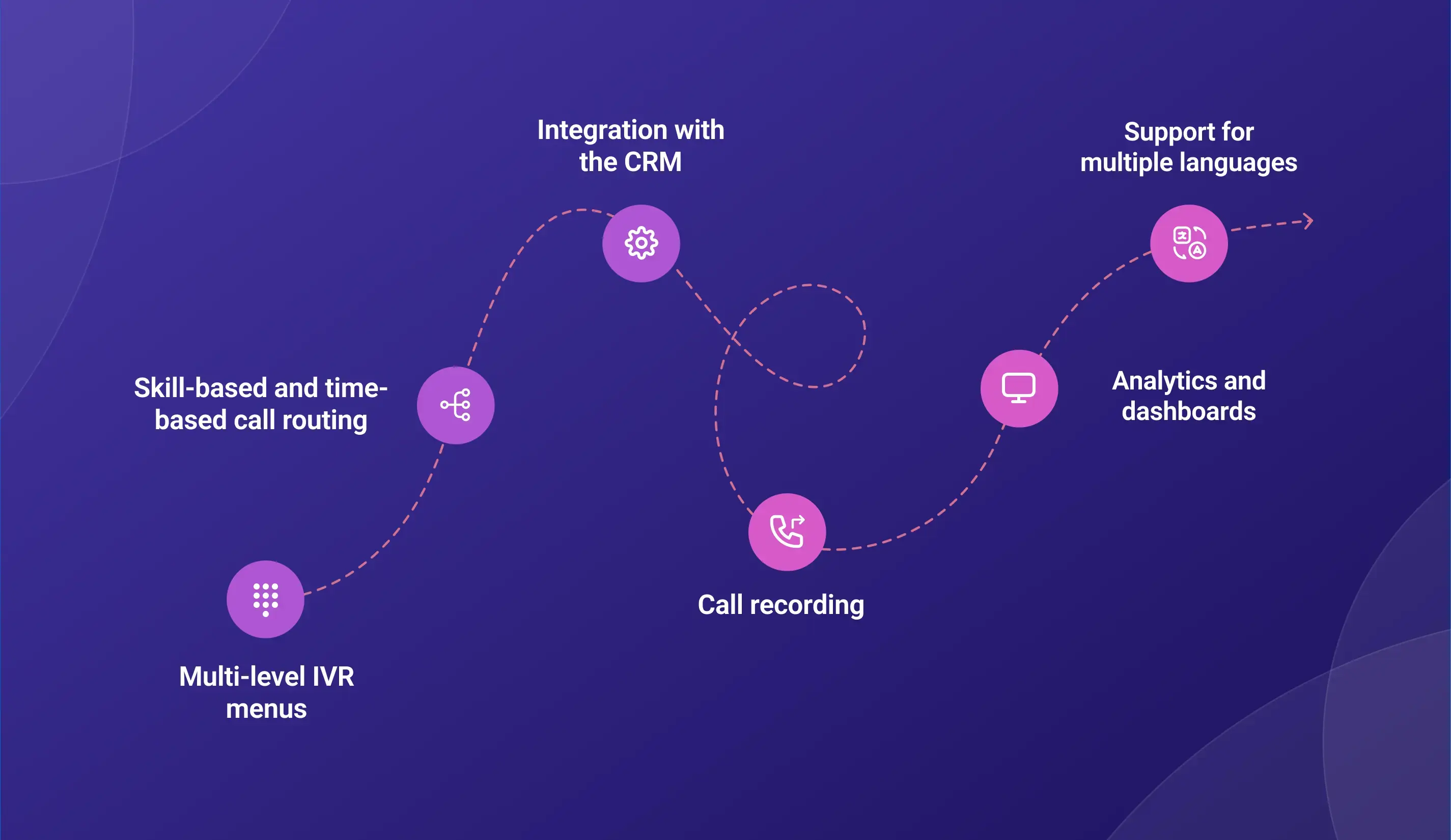
Not all IVRs are the same. Below is a list of factors to consider while looking for a good one:
- Multi-level IVR menus: A single-level menu ("press 1 or press 2") isn't enough for most businesses. Look for systems that support nested menus so you can handle a wide range of inquiries with precision.
- Skill-based and time-based call routing: Direct calls to agents who have certain skills, as well as modify routing schedules depending on holidays or other special situations.
- Integration with the CRM: When integrated into the CRM system, the IVR will help agents know about the customer from the very start – previous purchases, problems faced, and account status.
- Call recording: Call recording is necessary for quality management, training purposes, and regulatory requirements. Make sure that your software is able to record and store the conversations.
- Analytics and dashboards: Live and historical data provide information needed to streamline your call process and allocate appropriate workforce resources.
- Support for multiple languages: If your customer base speaks multiple languages, your IVR should too. Language options at the start of a call significantly improve accessibility and customer satisfaction.
Why Businesses Are Moving to Cloud-Based IVR
The shift toward cloud technology has made automated IVR system deployment faster and more affordable than ever. Cloud systems require no heavy hardware, can be managed from a browser, and scale instantly as your business grows.
No Hardware Management: Everything happens in the cloud, meaning no need for you to acquire, configure, and update any hardware components.
Quick deployment: This system deploys much faster compared to other solutions; for instance, cloud IVR can be deployed in days after being configured using predetermined call flows and prompts.
Scalability: You can scale this IVR system according to your growing needs without having to purchase more infrastructure. In most cases, scaling is achieved through configuration only.
Budget-friendly: The typical cloud IVR pricing model entails subscription fees that make the solution quite affordable to smaller firms that don’t have huge budgets for big investments.
Flexibility: Regardless of whether your agents are in one location or dispersed throughout several regions, a cloud IVR will serve all your routing and auto-attendant requirements.

According to IBM
Cloud-based systems reduce reliance on infrastructure and enable businesses to scale operations more efficiently.
Why Businesses Choose TeleCMI
TeleCMI is built for businesses that need reliable, intelligent call handling without the complexity of traditional telephony systems.
Here's what makes it stand out as an automated IVR system for growing businesses:
IVR automation with intelligent routing: Build multi-tiered IVR menus and intelligent routing which will route all calls to the appropriate individual without any further transfer.
24/7 call center availability: The software operates continuously, capturing all out-of-hours calls, recording callback requests, and offering self-service functionalities when your team is off-duty.
CRM integration: TeleCMI integrates well with all popular CRM applications to ensure that your agents always know who’s calling before they answer the call.
Call analytics and tracking: Get real-time insights about call volume, response time, and agent performance using analytics dashboards and reports
Designed for small businesses: Regardless of whether you run a company of five or five hundred people, TeleCMI can accommodate your requirements without the need for infrastructural changes.
Cloud-based deployment: Zero hardware required, easy installation, and inherently telecommuting-friendly
How to Implement an Automated IVR System
Getting started with IVR doesn't have to be complicated. Here's a straightforward implementation path:
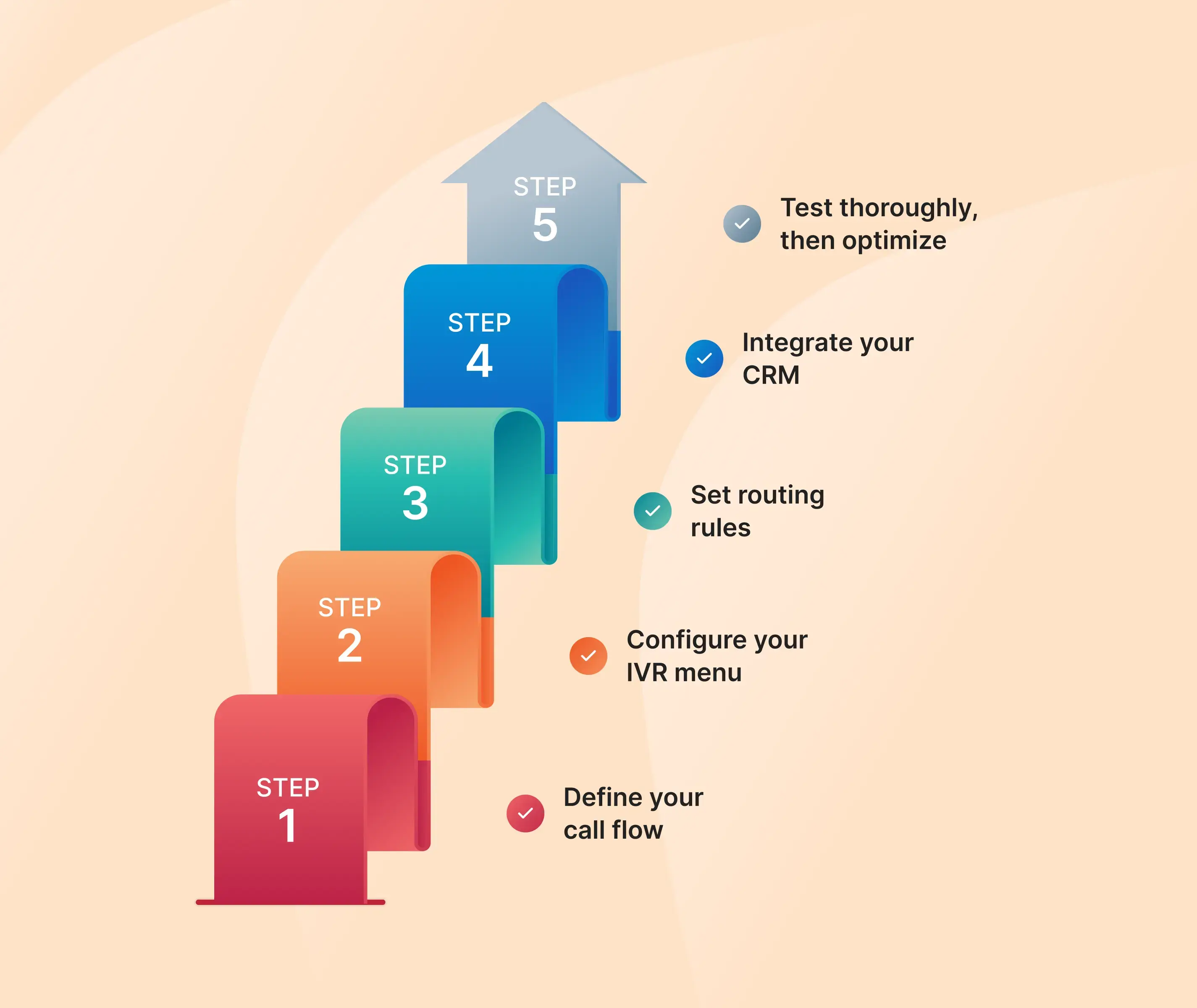
Step 1: Define your call flow
Identify the reasons why the customer will call you, divide them into such groups as sales, support, billing, etc., and then create a call flow that represents the main idea behind your IVR menu structure.
Step 2: Configure your IVR menu
Build an IVR menu following the outlined call flow. The number of choices offered in one menu screen should not exceed five so that calls take less time to complete.
Step 3: Set routing rules
Outline the rules by which calls are assigned to particular departments or agents according to their category. Decide on an answering plan outside the regular working hours of your staff.
Step 4: Integrate your CRM
Connect your IVR with your customer database such that information about the caller is automatically populated when the call comes through. This is where IVR becomes truly productive as opposed to just being a call routing system.
Step 5: Test thoroughly, then optimize
Before launching, run the full call flow as a customer would experience it. Check every menu option, every routing rule, every after-hours scenario. After launch, monitor your analytics regularly and adjust based on the data.
Conclusion
A missed call is more than just a missed call; it is a cost to your business. Each call that goes unanswered results in a customer taking his or her business elsewhere, an issue being transferred, or a missed connection opportunity. The power of IVR automation extends beyond solving a simple problem by revolutionizing the way that you handle inbound calls, ensuring that each and every call is answered instantly, handled efficiently, and professionally – no matter what time of day.
IVR automation represents one of the highest return-on-investment solutions available for businesses searching for strategies to ensure that their customers aren’t falling between the cracks right out of the gate. Cost-effective and easy to deploy, especially with cloud-based systems, IVR automation can provide an edge when it comes to answering calls you have yet to receive.
If you are ready to bring structure and consistency to your call handling, explore how TeleCMI can help you.
Get StartedFrequently asked questions (FAQ)
Saravana Kumar

I’m passionate about exploring and sharing insights on modern cloud communication technologies. At TeleCMI, I focus on helping readers understand the evolving world of cloud telephony and IVR solutions in a simple yet in-depth way. My goal is to deliver genuine value by turning complex telecom concepts into clear, actionable knowledge that builds trust and drives innovation.

