How to Choose Auto Dialer Software for Growing Sales Teams

16 mins read

Posted on Aug 10, 2026

Saravana Kumar
SEO


Saravana Kumar
SEO






The larger a sales team becomes, the more pressure there is to reach more prospects without adding more administrative work. What starts as a manageable outbound calling process can quickly become inefficient as call volumes increase. Sales reps spend valuable time manually dialing numbers, waiting for calls to connect, handling unanswered calls, and updating CRM records instead of speaking with potential customers.
This is where sales dialer software can help by streamlining outbound calling, reducing repetitive tasks, and giving sales teams more time for actual conversations. With many vendors positioning their platforms as the best sales dialer for outbound teams, choosing the right solution requires looking beyond dialing speed and focusing on workflow, integrations, compliance, and measurable sales performance.

Key Takeaways
 When selecting an auto dialer, consider your actual sales volume rather than the figures presented in its marketing material. Go for the one that matches your real call volume and sales workflow.
- Outbound teams that are large tend to work best using predictive dialing, while smaller sales teams that place a greater emphasis on more personal conversations perform better when using progressive dialing.
- By connecting your dialer directly to your CRM, you eliminate the need for tedious manual data entry and ensure that your customer records remain up to date.
- When you are about to make a purchase, make sure that the platform has compliance features including DNC/DND management, controls for call abandonment, and disclosures regarding call recording.
- Ensure that the platform provides you with up-to-date visibility regarding conversion rates and agent productivity.
- Be careful to compare the different pricing plans if you don't want to be taken by surprise by unexpected usage costs later on.
- Test the platform with a free trial and verify support quality before making a long-term decision.
What Is Auto Dialer Software?
Auto-dialer software helps sales teams make more outbound calls without manually dialing each number. It automatically calls contacts from a sales list and connects answered calls to an available sales representative. Instead of spending time entering phone numbers, waiting through unanswered calls, or listening to busy tones, agents can focus on having more conversations with potential customers.
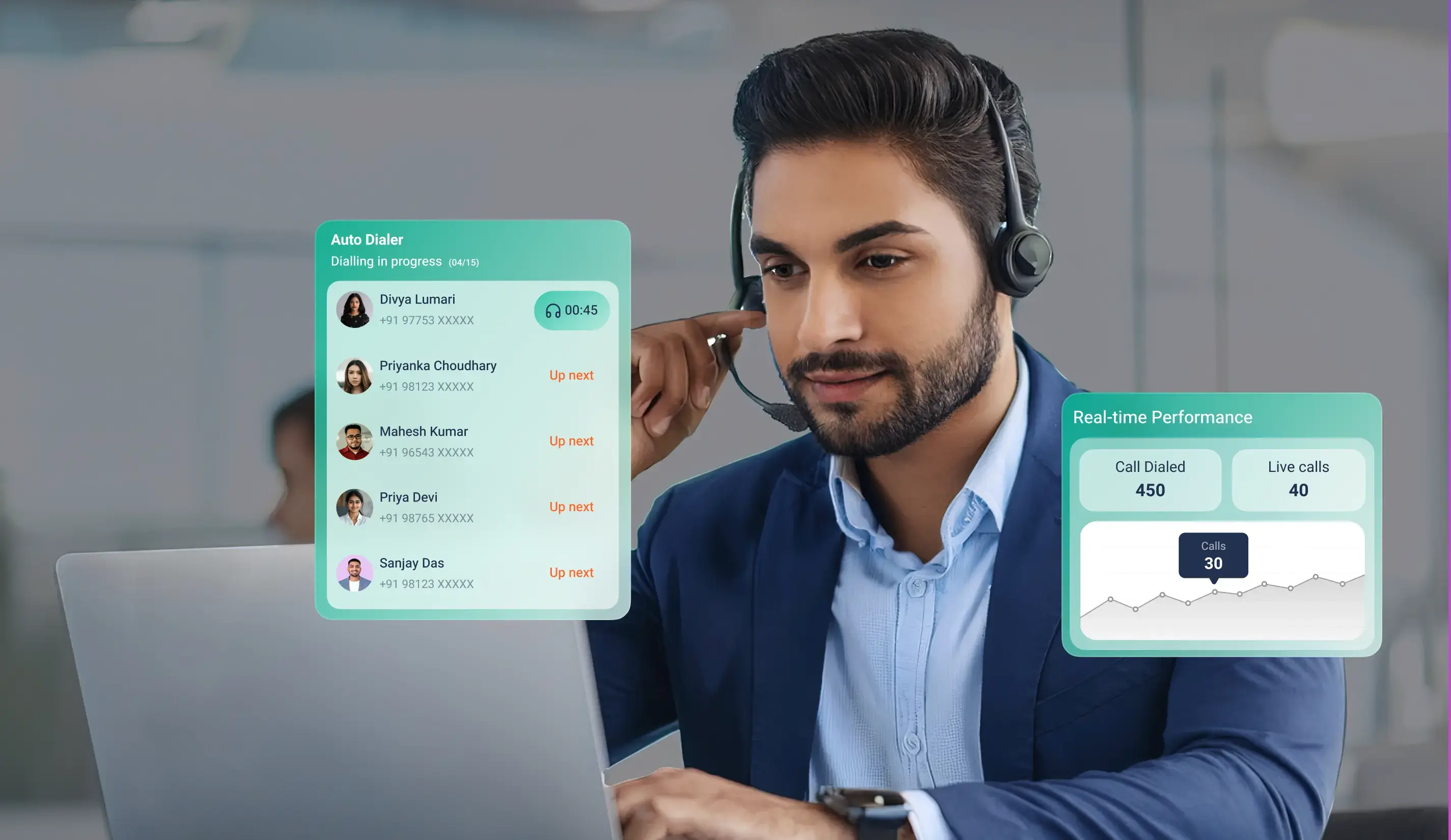
Modern auto-dialers combine rep productivity features with team-tracking tools. Predictive dialers place multiple calls simultaneously, so agents move straight from one call to the next, which works well for broad outreach campaigns. Progressive dialers dial one lead at a time, only after an agent becomes available, making them better suited to high-intent leads.
The best auto dialer for sales streamlines your entire call workflow. Managers get recorded calls for training, reps save time through automated CRM logging, and leadership gets real-time reports on call outcomes. As soon as your team hits a daily benchmark of 50 calls per rep, having these automated systems in place is essential for growth.
Why Growing Sales Teams Need a Sales Dialer – and When to Adopt One
Manual dialing becomes inefficient as call volumes grow. A team of 10 sales representatives, making around 50 calls each day, can lose 2–3 hours per representative to dialing numbers, waiting for unanswered calls, reaching voicemail, and updating customer records instead of speaking with prospects.
Increasing your headcount will only be effective if your team has the appropriate tools for managing the volume; if all employees depend on manual dialing and manual data entry, new hires will end up inheriting the same productivity bottlenecks as your present staff.
It would be best not to buy a dialer until your call volume requires it. A small team making 20 outbound calls each day can readily do without predictive features. Therefore, you should wait until your call volume actually makes the extra system complexity worthwhile.
Waiting too long has its own cost. A 20-person sales team still relying on manual dialing is likely losing valuable selling time every day.
The right time to evaluate sales dialer software is when your team spends more time dialing than selling. That's when VoIP for sales teams begins to deliver measurable improvements in productivity and outbound performance.
How to Choose Sales Dialer Software: Which One Fits Your Team?
Not every outbound sales team works the same way, which is why choosing the right dialing mode is more important than choosing the platform itself. The best auto-dialer software for sales teams should support how your representatives work today while giving you room to scale tomorrow. If your dialing mode doesn't match your call volume, team size, and campaign goals, you could end up reducing productivity instead of improving it.
Predictive Dialing
Predictive dialing is designed for high-volume outbound campaigns where optimizing agent talk time is the priority. It uses algorithms to dial multiple numbers concurrently before an agent becomes available and to predict when the next representative will finish their current conversation. When someone answers, the system immediately routes the call to the next available agent.
Instead of spending half their shift sitting through ringtones, reps spend most of their time actually talking to people. It works best for larger teams running high-volume campaigns, where reps make at least 100 calls a day.
But predictive dialing calls for careful configuration. If the system incorrectly predicts an agent's availability, some customers may answer before an agent is available. This can increase the risk of abandoned calls. That is why these dialers work best when you have at least 8 to 10 reps on the line and actively monitor drop rates and compliance limits.

Ready to Move Beyond Manual Dialing?
Give your sales representatives more time to focus on conversations with intelligent dialing
Progressive Dialing
Progressive dialing takes a quality-first approach. Instead of ringing several lines at once, the system waits for an available rep before dialing one number. Since someone is always ready to talk when a prospect picks up, you won't have to worry about abandoned calls.
Progressive dialers focus on the quality of the conversation rather than merely on the number of calls made; by waiting until an agent is available before making a call, they completely eliminate dropped connections. They are particularly appropriate for companies that have between 3 and 15 sales representatives, for account-based sales teams, and for those sectors which have more stringent compliance requirements or where conversations tend to be long.

Salesforce reports that sales representatives spend 60% of their time on non-selling tasks, including administrative work, CRM updates, and other tasks. A sales dialer reduces much of the manual effort involved in outbound calling, helping teams spend more time speaking with prospects and less time on repetitive tasks.
CRM Integration: A Must-Have for Sales Dialer Software
As your sales team grows, CRM integration isn't optional anymore. If calls aren't logging automatically, customer details get inconsistent, and managers have no clear view into what's actually in the pipeline. A dialer should reduce administrative work - not create more of it.
A good CRM integration does way more than log phone calls. A good CRM integration should provide:
- Screen pop with customer history so agents can view previous conversations and notes before the call connects.
- Automatic call logging to record every outbound and inbound interaction without manual data entry.
- Call disposition tagging that updates the CRM and can trigger follow-up workflows, reminders, or lead status changes.
- Call recordings are linked to customer records, allowing managers to review conversations directly from the CRM for coaching and quality checks.
- Native CRM integrations with platforms such as Zoho CRM, HubSpot, Salesforce, Pipedrive, Freshsales, and LeadSquared, rather than relying only on Zapier.
Native integrations sync instantly, so your customer records stay accurate even when you are dealing with heavy call lists. While Zapier can handle basic tasks, it sometimes lags or misses data points when things scale up. Platforms with extensive native connections - like TeleCMI, which integrates with over 170 CRMs keep your records updated automatically without forcing agents to recheck their work.
Sales Dialer Compliance: What Growing Teams Must Check
Compliance should be part of your evaluation process, not something you address after deployment. The more calls your team makes, the easier it is for small legal gaps to turn into expensive regulatory penalties or flagged spam numbers. Before selecting sales dialer software, confirm that it supports the compliance requirements of the markets you serve.
Call Abandonment Controls
If you are going with a predictive dialer, make sure it has built-in drop rate caps and compliance logs. Regulators like the FTC in the U.S. and Ofcom in the UK generally cap abandoned calls at 3%. So if you are running high-volume campaigns, these controls are a non-negotiable feature to keep you out of trouble.
DNC and DND List Management
The platform should support Do Not Call (DNC) and Do Not Disturb (DND) list management to help prevent calls to customers who have opted out of receiving promotional communications.
Call Recording Disclosures
Call recording laws are very strict, so depending exclusively on agents to issue a verbal warning each time is risky. Using automated consent prompts leaves no room for human errors and keeps your campaigns fully compliant.
TRAI Compliance for Indian Businesses
If you are calling prospects in India, compliance with TRAI regulations is mandatory. Your dialer must follow TCCCPR guidelines, which means automatically scrubbing your call lists against the National DND registry before launching any campaign. So choosing a software with native DND filtering takes the risk out of high-volume local outreach.
Data Storage and Platform Capabilities
If you serve customers in multiple countries, verify where call recordings and customer data are stored to ensure they comply with your organization's requirements. When evaluating providers, check whether the platform offers features for monitoring and supporting compliant outbound campaigns.
Services like TeleCMI support compliant outbound operations with features such as call recording, reporting, and analytics. Features such as call recording, real-time reporting, and detailed call logs give businesses better visibility into outbound campaigns while supporting compliance monitoring and audit requirements.
The U.S. Federal Trade Commission (FTC) can hit you with a $53,088 fine for a single telemarketing violation. That's why you can't just look at dialing speed when buying software. This highlights why features such as DNC management, call abandonment controls, and compliance reporting should be part of your evaluation when choosing an auto dialer.
Reporting and Analytics - What Growing Teams Actually Need to See
What works for a five-person team stops working when you hit 20. Managing five people relies on direct conversation and manual checks, but managing 20 or more requires definite metrics. This is where reporting and analytics become essential.
A good sales dialer should provide insights that improve sales performance, not simply track call volume. The best dialers monitor metrics like connect rates, talk time versus dead air, call outcomes, and the best time of day to reach prospects. That way, managers can identify who needs coaching and determine when to run campaigns to achieve the highest response rate.
Admin-level visibility is equally important, too. A live dashboard should show the number of active calls, the number of agents on break, agent availability, and more. This helps supervisors monitor ongoing campaigns and respond quickly when needed.
To measure real ROI, dialer analytics must integrate with your CRM. That lets you connect outreach volume to actual pipeline conversion and revenue. Don't go for platforms that only display call volume; counting dials isn't the same as evaluating sales performance. Look for a platform that turns call data into practical insights. A VoIP ROI Calculator can also help estimate the potential financial impact of a VoIP investment based on communication costs and business outcomes. Going with an integrated platform like TeleCMI combines real-time agent metrics with deep CRM syncs, helping keep customer communications and sales data connected. The analytics dashboard helps managers monitor performance, identify coaching opportunities, and improve campaign outcomes.
How Much Does Sales Dialer Software Cost?
Pricing is an important factor when choosing auto dialer software for sales teams, but the cheapest option isn't always the most cost-effective. The right pricing model needs to align with your team's size, calling volume, and growth plans.
- Per User Per Month - A fixed monthly fee for each user makes budgeting simple and predictable. It's best suited for businesses with stable team sizes and consistent outbound activity.
- Per Minute - Charges are based on actual talk time. This can work well for teams with changing call volumes, but costs can rise quickly as outbound campaigns become more active.
- Per Call or Per Connection - You only pay for calls that actually connect, not every raw attempt the system makes. This avoids paying for unanswered dials, though it does mean your monthly expenses will fluctuate based on your team's connect rate.
- Flat Fee with Usage Limits - This model keeps your monthly bill consistent and easy to track. But always recheck the overage charges if your team exceeds the included minutes or calls.
- What Growing Teams Should Look For - Choose providers that offer month-to-month plans or short initial commitments before asking you to sign an annual contract. Also look for additional costs such as setup, number porting, CRM integration, or support to understand the platform's total cost of ownership.
Red Flags to Watch for When Choosing Sales Dialer Software
Choosing the right auto-dialer isn't just about comparing features. It is equally important to identify warning signs that could lead to higher costs, operational issues, or limited scalability later.
- No Free Trial or Heavily Restricted Demo - A genuine trial allows your team to test the platform in a real sales environment. If a provider offers only a limited demo with restricted functionality, it's harder to evaluate how the dialer performs in day-to-day operations.
- Vague Answers on Compliance Features - Compliance capabilities shouldn't be unclear. Providers should clearly explain how they handle call abandonment controls, DNC management, and other regulatory requirements.
- CRM Integration Only Through Zapier - If CRM connectivity depends entirely on Zapier, it may indicate that native integrations aren't a development priority. Real-time native integrations are generally more reliable for growing sales teams.
- Annual Contract Required Upfront - Avoid committing to a long-term contract before you've confirmed that the platform fits your workflow, team size, and outbound calling process.
- Support Limited to US Business Hours - For firms operating in India, delayed support can interrupt sales operations. Look for providers that offer IST-aligned customer support when your team needs assistance.
- Pricing That Isn't Transparent - If you need multiple sales calls to understand the pricing, check carefully for hidden costs such as setup, CRM integration, or number porting fees before making a decision.
Sales Dialer Software Buying Checklist
Before choosing an auto-dialer, use this checklist to ensure the platform fits with your team's current needs and future growth plans.
- No Free Trial or Heavily Restricted Demo - A genuine trial allows your team to test the platform in a real sales environment. If a provider offers only a limited demo with restricted functionality, it's harder to evaluate how the dialer performs in day-to-day operations.
- Vague Answers on Compliance Features - Compliance capabilities shouldn't be unclear. Providers should clearly explain how they handle call abandonment controls, DNC management, and other regulatory requirements.
- CRM Integration Only Through Zapier - If CRM connectivity depends entirely on Zapier, it may indicate that native integrations aren't a development priority. Real-time native integrations are generally more reliable for growing sales teams.
- Annual Contract Required Upfront - Avoid committing to a long-term contract before you've confirmed that the platform fits your workflow, team size, and outbound calling process.
- Support Limited to US Business Hours - For firms operating in India, delayed support can interrupt sales operations. Look for providers that offer IST-aligned customer support when your team needs assistance.
- Pricing That Isn't Transparent - If you need multiple sales calls to understand the pricing, check carefully for hidden costs such as setup, CRM integration, or number porting fees before making a decision.
Wrapping Up
The best sales dialer isn't the platform with the longest feature list. It's the one that matches your team's call volume, supports the right dialing approach, integrates with your CRM, helps maintain compliance, and gives managers clear visibility into outbound performance.
For growing sales teams, the value of a sales dialer goes beyond making more calls. The right platform can reduce repetitive work, improve rep productivity, keep customer data synchronized, and help managers turn calling activity into measurable sales outcomes.
TeleCMI combines smart dialing options, cloud telephony, CRM integrations, call analytics, and real-time reporting to help sales teams streamline their outbound calling process and scale their sales operations.
Ready to Upgrade Your Outbound Sales Process?
Give your sales team the tools to automate dialing to manage outbound campaigns more efficiently
Frequently asked questions (FAQ)
Saravana Kumar

I’m passionate about exploring and sharing insights on modern cloud communication technologies. At TeleCMI, I focus on helping readers understand the evolving world of cloud telephony and IVR solutions in a simple yet in-depth way. My goal is to deliver genuine value by turning complex telecom concepts into clear, actionable knowledge that builds trust and drives innovation.